Tickets PayPal: Fast, Safe Ways to Sell
Published September 11, 2026
Discover tickets PayPal safety tips, scam risks, fees, and fast selling options to get paid securely and sell spare tickets today.
Tickets PayPal: Fast, Safe Ways to Sell
If you’re stuck with extra tickets and need cash fast, PayPal can feel like the obvious answer. It’s familiar, quick, and easy to use. But when people search for tickets PayPal, what they usually want is more than a payment button - they want a safe way to buy or sell tickets without scams, surprise fees, payout delays, or the headache of waiting for a stranger to show up.
For concert fans, sports fans, season ticket holders, and last-minute sellers, that difference matters. PayPal can handle the payment. It does not handle the entire resale process for you.
That’s where many sellers get burned. They find a buyer, send over tickets, and only later realize the “payment confirmation” was fake, the transaction was disputed, or the event started before the deal was finished.
At WeBuyTickets, we look at the full problem, not just the payment step. If you want the fastest path from “I can’t go” to “I got paid,” you need a resale option that removes the listing, the waiting, and the uncertainty.
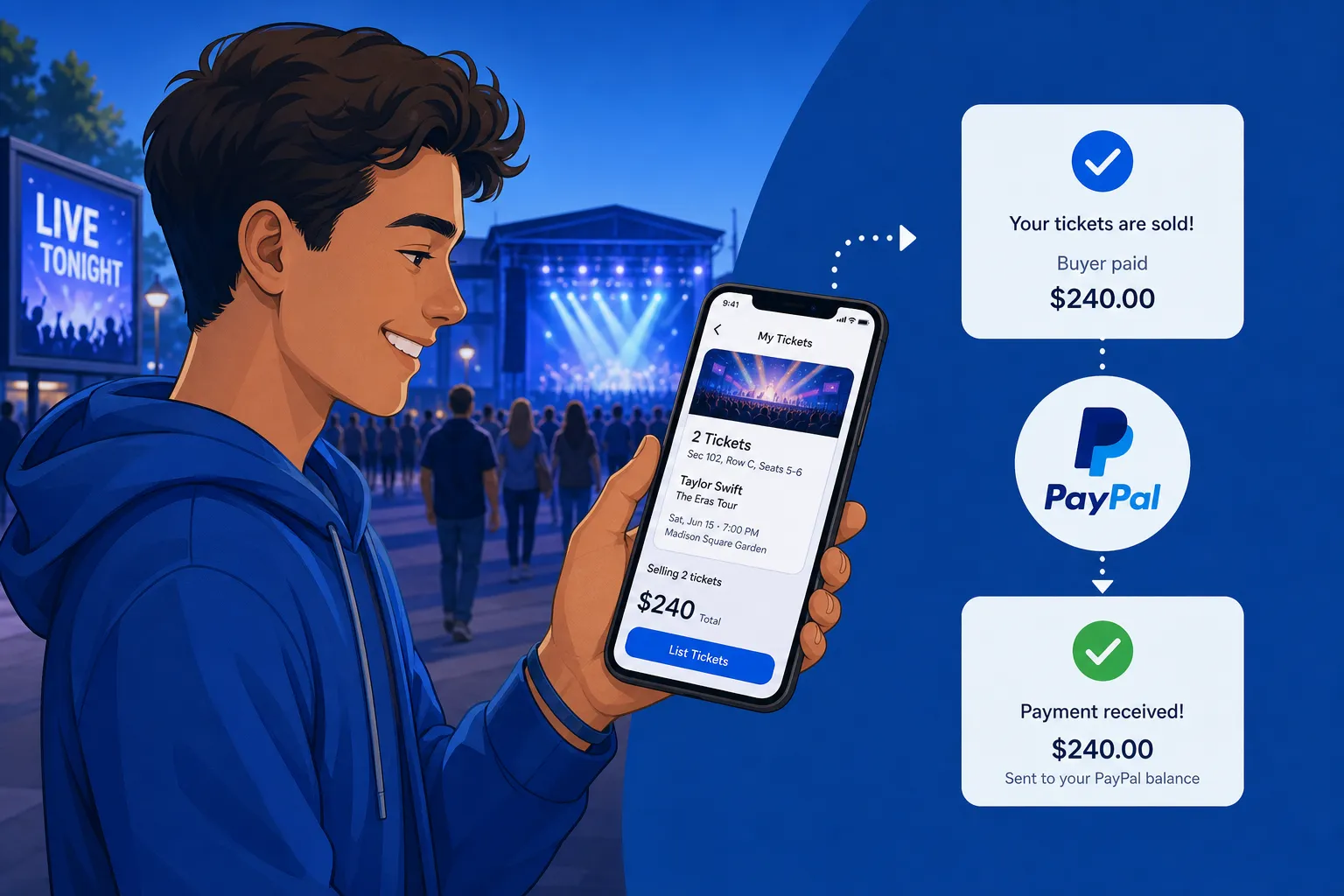
What PayPal actually does in a ticket transaction
PayPal is a payment method. That’s its role.
It can help you:
send or receive money quickly
avoid typing in card details every time
create a payment request or invoice
keep a transaction record
add some buyer or seller protection in certain cases
What it does not do by itself:
verify that the tickets are real
guarantee the buyer won’t dispute the payment
guarantee the seller will transfer valid tickets
eliminate marketplace fees
find a buyer for your tickets
ensure you get paid before the event starts
That’s the core gap many competing articles gloss over. They talk about PayPal as if it solves resale risk on its own. It doesn’t. The real safety of the transaction depends on who you’re dealing with, how the tickets are transferred, and whether the resale process itself is structured well.
Can you buy tickets with PayPal?
Yes. Many ticket sellers and platforms accept PayPal at checkout.
Usually, there are three ways people buy tickets with PayPal:
On a primary ticketing site that offers PayPal
On a resale marketplace that supports PayPal
Directly from a private seller
The first two are generally safer because the platform creates its own transaction record and handles some of the transfer flow. The third is where most scam risk lives.
When buying tickets with PayPal makes sense
PayPal is a strong option when:
the site is established
ticket details are clearly shown before checkout
the transfer method is explained
fees are visible up front
you’re not being pushed into an off-platform deal
What to check before you pay
Before sending money, confirm:
event name and date
venue
section, row, and seat details
quantity of tickets
mobile transfer or delivery method
refund or dispute process
whether the payment is being handled properly, not as a casual personal transfer
If anything feels vague, rushed, or inconsistent, stop there.
Can you sell tickets through PayPal?
Yes, but there are two very different ways to do it.
Option 1: Sell to a private buyer and get paid via PayPal
This is the DIY route. You find your own buyer, agree on a price, request payment, and transfer the tickets yourself.
It can work well if:
you already know the buyer
the event is not too close
the tickets are easy to transfer
you’re comfortable documenting everything
But it comes with real risk:
fake payment screenshots
chargebacks
disputes over ticket delivery
confusion over seat details
wasted time if the buyer disappears
Option 2: Sell to a direct ticket-buying service that pays through PayPal
This is the faster, simpler route.
Instead of listing your tickets and waiting for someone to bite, you submit the ticket details, get an offer, transfer the tickets, and get paid.
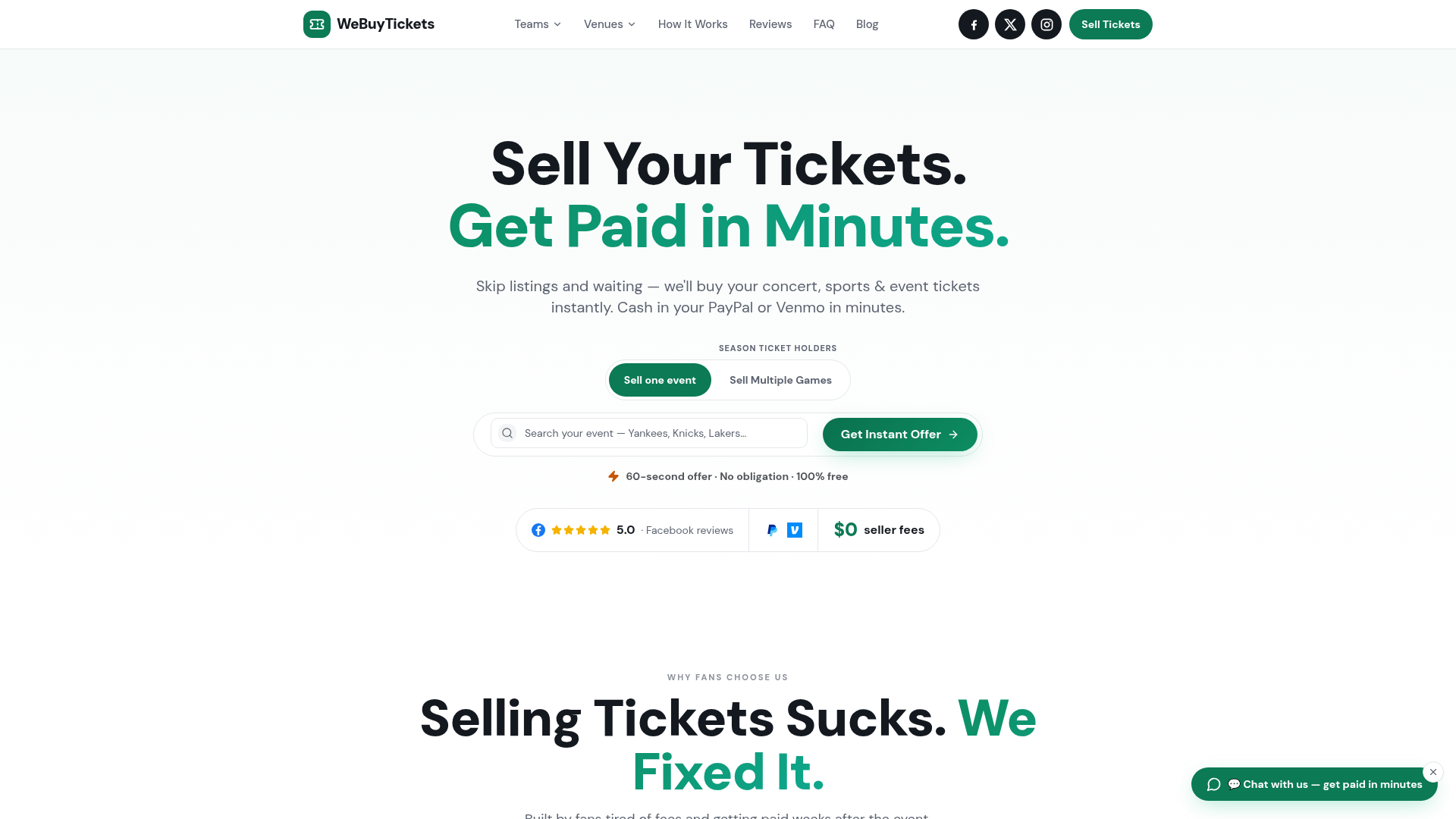
That’s exactly how WeBuyTickets works:
instant offers within minutes
simple 60-second submission
no listing required
no seller fees
no waiting for buyers
guaranteed sale model
PayPal or Venmo payout in minutes
support for last-minute sales up to event start time
For sellers who care more about certainty than squeezing out a maybe-higher price later, that’s usually the smarter move.
How to sell tickets with PayPal safely
If you’re going to handle a private sale, use a tight process.
1. Verify the buyer first
Get the buyer’s:
full name
confirmed email
clear agreement on event and seat details
Be cautious if they:
rush oddly
keep changing the plan
insist on unusual payment methods
try to prove payment with screenshots instead of actual account confirmation
2. Describe the tickets clearly
Put the exact details in writing:
event name
venue
date and time
section, row, seat numbers
number of tickets
delivery method
any restrictions
The clearer the record, the less room there is for disputes later.
3. Use a proper PayPal transaction
Use a transaction type that creates a real record. If possible:
send an invoice
include accurate ticket details
avoid casual, undocumented arrangements
Never treat a text message or email screenshot as payment.
4. Confirm the money inside your PayPal account
This matters more than anything else.
Only move forward when the payment is visible in your actual PayPal account dashboard. Not in an email. Not in a screenshot. Not in a message from the buyer.
5. Transfer tickets only after payment is confirmed
Once the payment is fully visible and confirmed, transfer the tickets through the official method provided by the ticketing platform.
6. Save proof of everything
Keep:
screenshots of the listing or agreement
buyer messages
the PayPal invoice or transaction record
proof of ticket transfer
timestamps
event details
If there’s ever a dispute, documentation is your best friend.
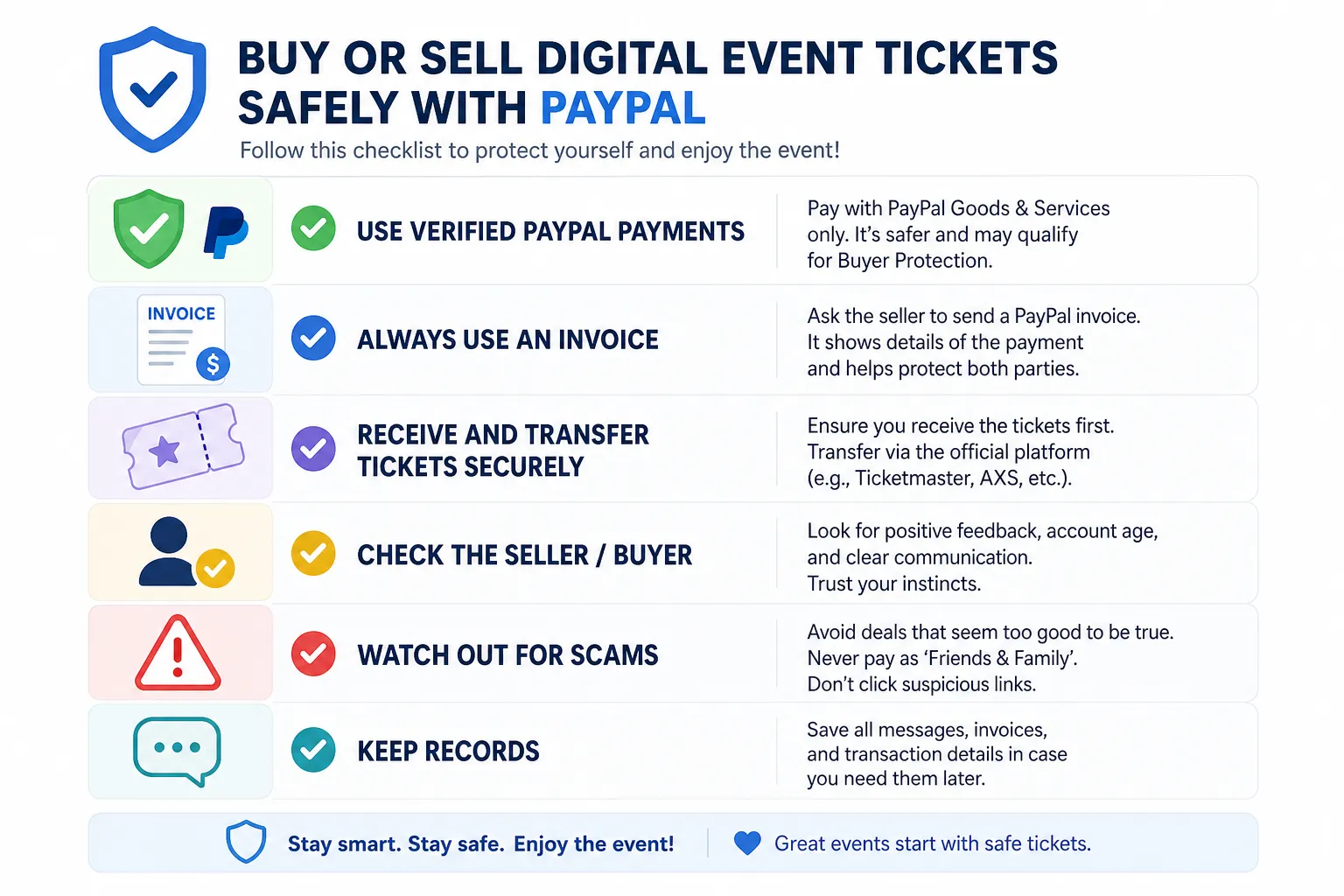
The biggest PayPal ticket scams to watch for
The problem isn’t just “fake buyers.” It’s that digital ticket sales happen fast, often close to event time, and leave little room to fix mistakes.
Fake payment confirmation scam
A buyer sends a convincing screenshot or fake email saying the payment went through.
How to avoid it:
trust only your real PayPal account balance and transaction history
never release tickets based on a screenshot
Overpayment scam
Someone “accidentally” sends too much and asks you to refund the difference.
How to avoid it:
do not refund anything until you fully verify the original payment
if the transaction seems strange, stop and contact PayPal support
Friends and Family misuse
A buyer asks to use a personal payment type to “avoid fees.”
How to avoid it:
do not let someone pressure you into a payment method that weakens documentation or protection
keep the transaction tied clearly to the ticket sale
Post-transfer dispute
The buyer receives the tickets, then later claims:
they never got them
the seats were wrong
the tickets didn’t work
the event details were misrepresented
How to avoid it:
document the exact ticket details
keep transfer proof
use a structured process
Last-minute delay trap
You spend hours messaging buyers, but nobody commits before the event starts.
How to avoid it:
if speed matters, skip the listing process and use a direct-buyer option like WeBuyTickets
Understanding protection: what PayPal helps with, and what it doesn’t
PayPal can help in some disputes, but it’s not a blanket guarantee for every ticket issue.
For buyers, it can be useful when the tickets never arrive or are significantly different from what was promised. For sellers, things get more complicated because you may need to prove exactly what was delivered and when.
This is why payment protection and resale process protection are not the same thing.
A lot of sellers think, “If I use PayPal, I’m covered.” That’s too simplistic. If the buyer disputes the transaction after transfer, your documentation and transfer proof become critical.
PayPal fees and costs to expect
If you’re buying tickets
Even if PayPal itself doesn’t show a separate charge, you may still pay:
service fees
resale markups
delivery fees
currency conversion fees
If you’re selling privately through PayPal
Your real costs may include:
payment processing deductions
dispute risk
chargeback exposure
time spent finding a buyer
lost value if the event gets closer and you have to drop the price
If you’re selling through a marketplace
You may deal with:
listing friction
seller fees
payout delays
competition from other sellers
no guarantee your tickets sell in time
If you sell to WeBuyTickets
The model is simple:
no seller fees
no listing required
no waiting for buyers
fast offers
PayPal or Venmo payout in minutes after transfer
That simplicity is often more valuable than chasing a slightly higher theoretical resale price that may never materialize.
PayPal vs marketplaces vs direct sale: what’s best?
Not every seller wants the same thing. Some want maximum upside. Others just want the tickets gone and cash in hand today.
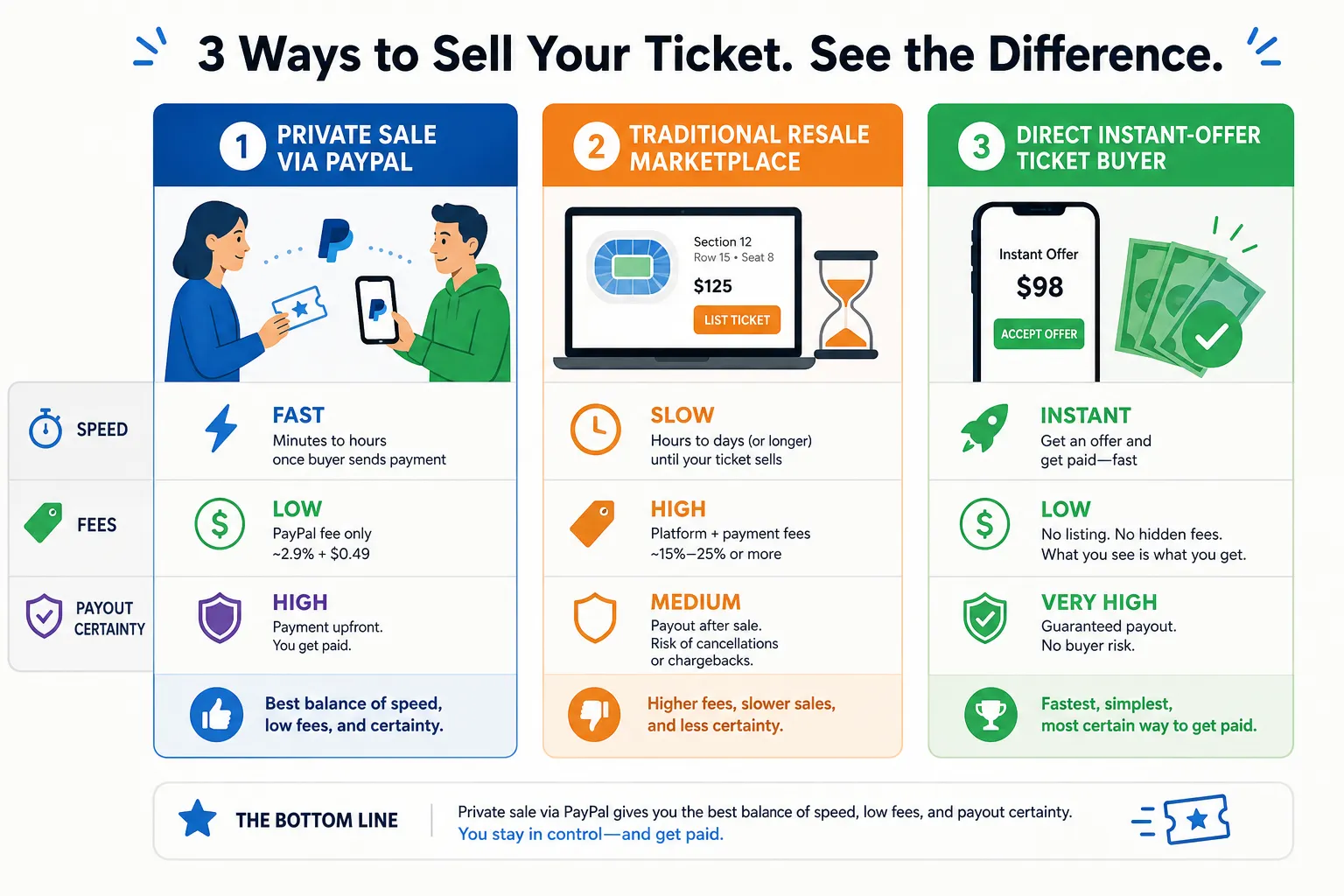
Comparison table
Option | Best for | Speed | Seller fees | Need to find buyer? | Payout certainty | Good for last-minute sales? |
|---|---|---|---|---|---|---|
Private sale with PayPal | People who already have a buyer | Medium | Varies | Yes | No | Sometimes |
Traditional resale marketplace | Sellers trying to maximize price | Slow to medium | Often yes | Indirectly | No | Risky close to event |
WeBuyTickets | Sellers who want speed, certainty, and simplicity | Fast | No | No | Yes | Yes |
Why traditional marketplaces frustrate last-minute sellers
On paper, marketplaces sound great. In practice, they can be frustrating when time is tight.
Typical flow:
create the listing
set a price
compete with similar seats
wait for a buyer
adjust pricing if nothing happens
pay seller fees
wait for payout
If your event is tomorrow - or tonight - that process can feel painfully slow.
WeBuyTickets removes those friction points. Instead of listing and hoping, you get a direct offer within minutes. If you accept, you transfer the tickets and get paid fast through PayPal or Venmo. It’s built for the seller who values speed, trust, and simplicity over endless price tinkering.
How WeBuyTickets fits into the PayPal resale journey
PayPal works best as the payout method, not the entire strategy.
That’s the key insight.
When you rely on PayPal alone, you still have to:
find a buyer
negotiate
verify payment
handle transfer
manage disputes
hope the event doesn’t start first
When you use WeBuyTickets, the hard part is already solved:
submit ticket details in about 60 seconds
get an AI-powered instant offer within minutes
skip the listing process completely
transfer the tickets
get paid by PayPal or Venmo in minutes
avoid seller fees and buyer-hunting stress
That’s why sellers use us when they need a low-hassle way to convert unused tickets into cash quickly.
Smart tips for buyers using PayPal for tickets
If you’re on the buying side, these rules will save you a lot of trouble.
Buy on established platforms when possible
A recognized platform plus PayPal records is usually safer than a random social media message thread.
Get every detail in writing
Do not rely on vague promises. Match:
event
venue
date
section
row
seat
transfer method
Be skeptical of pressure
Scammers love urgency. “Someone else is ready to pay” is one of the oldest tricks in the book.
Never rely on screenshots alone
Ask for proof of ownership and a clear transfer plan.
Review the full cost before checkout
Even on legitimate platforms, service fees and markups can turn a decent deal into a frustrating one.
Smart tips for sellers who need money fast
If your main goal is quick payout, here’s the honest breakdown:
Use private PayPal sales only if you already have a trusted buyer
If you don’t, the time and scam risk can outweigh the upside.
Don’t wait too long to act
The closer the event gets, the smaller your margin for error. A “maybe buyer” is often worse than no buyer.
Prioritize certainty over theory
A lot of sellers hold out for the perfect price and end up with nothing once the clock runs out.
Choose a resale path designed for speed
That’s where WeBuyTickets wins:
quick offers
fair pricing
no listing hassle
no seller fees
responsive customer support
last-minute support up to event start time
The content gaps most articles miss
Most articles about selling tickets with PayPal stop at surface-level advice:
“PayPal is secure”
“Use Goods and Services”
“Keep your records”
That’s fine, but incomplete.
Here’s what actually matters in the real world:
PayPal is only one piece of the transaction
resale risk comes from the buyer, the transfer method, and timing pressure
last-minute sellers need certainty, not just payment functionality
marketplace friction is often the hidden cost nobody talks about
the safest resale setup is often the one that removes stranger-to-stranger negotiation entirely
That’s why the best use of PayPal in ticket resale is often as a fast payout channel inside a more reliable resale model, not as the entire model itself.
Final verdict
If you want to buy tickets with PayPal, it can be a convenient and sensible option - especially on trusted ticket platforms with clear checkout and transfer steps.
If you want to sell tickets through PayPal privately, it can work, but you need to manage the risks yourself: verifying the buyer, documenting the details, confirming payment properly, and protecting yourself against disputes and fake confirmations.
If your real goal is to sell fast, avoid hassle, skip seller fees, and get paid quickly, the better move is to use a direct-buyer service built for exactly that.
WeBuyTickets gives you:
instant offers within minutes
a simple 60-second submission process
no listing required
no waiting for buyers
no seller fees
guaranteed sale model
PayPal or Venmo payout in minutes
support for last-minute sales up to event start time
If you’ve got unused tickets and want the fastest low-drama path to getting paid, WeBuyTickets is the easiest next step.
FAQ
How to sell tickets via PayPal?
To sell tickets via PayPal, first confirm the buyer’s identity, clearly document the event and seat details, and use a proper PayPal transaction with written records. Only transfer the tickets after the payment is fully visible in your actual PayPal account, not just in a screenshot or email.
What ticket companies take PayPal?
Many primary and resale ticket platforms accept PayPal, but availability varies by site and checkout flow. The safest approach is to use established ticket marketplaces or direct-buying services like WeBuyTickets, where the payment and transfer process is clearer and easier to verify.